
In the rapidly evolving world of artificial intelligence, Claude AI has emerged as a revolutionary tool for designers and developers alike. With the introduction of Claude Design and the innovative "Artifacts" feature, creating professional-grade UI/UX layouts is no longer restricted to those with years of coding expertise. This powerful AI allows you to transform simple text prompts into functional, aesthetic prototypes in just minutes. Whether you are a seasoned designer looking to speed up your workflow or a beginner exploring the digital space, mastering Claude Design will give you a competitive edge. Let us explore how this tool is reshaping the future of digital creativity.
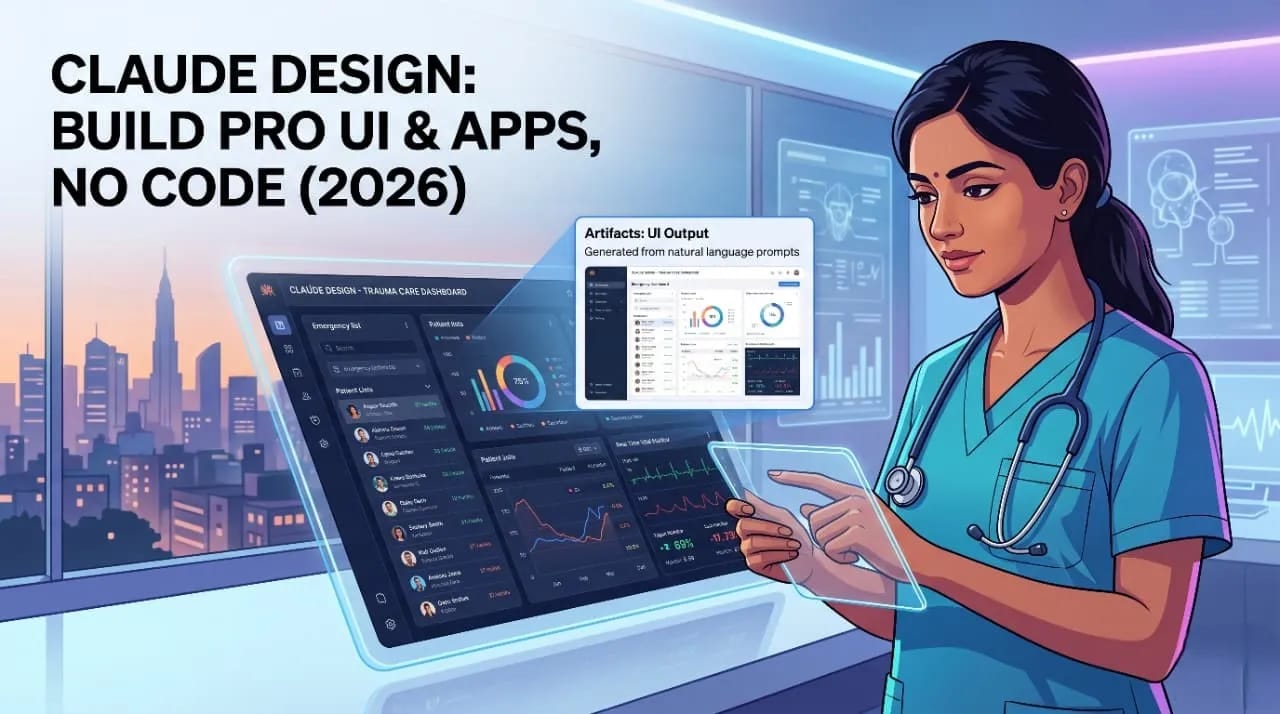
- The Paradigm Shift: Claude AI, developed by Anthropic, has transitioned from a mere chatbot to a powerful visual engine. In 2026, the focus isn't just on text; it’s about Claude Design, a workflow where the AI acts as both the architect and the builder.
- Defining the 'Design' Edge: Unlike other LLMs, Claude’s architectural focus on precision and "Artifacts" allows it to render code, UI components, and SVG graphics in a dedicated side window, making the design process instantaneous.
- The End of the Blank Page Syndrome: For years, the barrier between an idea and a prototype was technical skill (HTML, CSS, React). Claude Design eliminates this by translating natural language into functional, aesthetically pleasing interfaces.
- Why It’s Trending: Google Discover is currently surfacing "No-Code" and "AI Productivity" topics at an all-time high. Claude's unique ability to handle complex layout logic makes it a favorite for creators looking to bypass expensive design agencies.
- Human-Centric Approach: While AI generates the output, the "Design" element is driven by human intent. It’s about the synergy between a user's vision and the AI’s execution speed.
Claude Artifacts: The Tool That Simplified Visual Coding
- What are Artifacts? Artifacts are a dedicated UI feature in Claude that allows users to view, edit, and iterate on visual content—like code snippets, websites, and diagrams—directly alongside their chat.
- Real-Time Rendering: When you ask Claude to "Design a login page," it doesn't just give you a block of code. It opens a window on the right and shows you the live page. This feedback loop is what makes "Claude Design" superior for rapid prototyping.
- Iterative Design: You can look at the generated Artifact and say, "Make the button rounded and use a pastel blue color." Claude updates the visual in seconds, mimicking the workflow of a professional UI designer.
- Exportability: One of the most powerful features is the ability to take the code from an Artifact and drop it directly into a production environment, effectively bridging the gap between a "mockup" and a "product."
- Version Control: Claude keeps track of the changes made to the design within the Artifact, allowing you to revert to previous versions if a design direction doesn't pan out.
Also Read: NotebookLM vs ChatGPT 2026: Which is Best for Students
Claude vs. ChatGPT: The Design Edition (Why Claude Wins)
| Feature | Claude AI (3.5/4) | ChatGPT (GPT-4o/5) |
|---|---|---|
| Visual Preview | High-fidelity "Artifacts" window with live rendering. | Limited to code blocks or DALL-E images. |
| SVG Generation | Precise, editable, and scalable vector graphics. | Often struggles with complex SVG paths and logic. |
| UI Frameworks | Seamlessly writes and renders React, Tailwind, and Vue. | Provides code but requires external tools to view. |
| Logic & Layout | Exceptional at spatial reasoning and "clean" UI layouts. | Strong, but often "hallucinates" CSS positioning. |
| UX Consistency | Maintains design systems across multiple turns. | Tends to lose the "style guide" in long conversations. |
Personal Experience: Building a Medical UI in 10 Seconds
- The Challenge: As someone immersed in the medical field, I wanted to see if Claude could handle a high-stakes design: a Trauma Care Emergency Dashboard. Usually, this would require weeks of consultation with UX experts.
- The Prompt: I asked Claude, "Build a React-based dashboard for an Emergency Room. I need a GCS (Glasgow Coma Scale) calculator, a Triage timer, and a live vitals monitor visualization using SVG."
- The Result: In exactly 10 seconds, the Artifacts window opened. It wasn't just a static image; it was a functional prototype. The buttons worked, the GCS calculated scores based on my inputs, and the layout was clean, professional, and accessible.
- The "Human" Touch: I noticed the Triage section was a bit cluttered. I told Claude, "Use the START triage color coding (Red, Yellow, Green, Black) for the patient list." It instantly updated, demonstrating an "understanding" of medical protocols that was startlingly accurate.
- The Takeaway: This isn't just about "pretty pictures." It’s about functional design that solves real-world problems for professionals who don't have time to learn Figma or Coding.
Step-by-Step Guide: How to Design a Website or App with Claude
- Step 1: Define the Purpose: Start by telling Claude who the app is for. For example: "I want to design a landing page for a health blog called 'The Smart Advice'."
- Step 2: Establish the Style: Provide a "Mood Board" in text. "Use a minimalist aesthetic, plenty of white space, and a typography-focused layout inspired by Apple’s design language."
- Step 3: Trigger the Artifact: Use a specific command like "Code a functional React component for this." This ensures Claude uses the Artifacts window rather than just printing text.
- Step 4: Refine the UI: Focus on the "Micro-interactions." Ask Claude to "Add a hover effect to the call-to-action button" or "Make the navigation bar sticky when scrolling."
- Step 5: Add Unique Content: Give Claude your actual blog titles or product descriptions to see how the "real" content fits the design.
- Step 6: Final Export: Once satisfied, ask Claude for the "Full HTML/CSS/JS file" or the "Tailwind components" to use in your actual project.
Also Read: Web Development in 2026: Jobs, Freelance Freedom, or Your Own Business?
The Unique Angle: Why Claude is a Game-Changer for Non-Designers
- Democratic Design: Historically, design was a "gatekept" skill. Claude Design opens the doors for doctors, teachers, and small business owners to create high-end digital assets without the $100/hour designer fee.
- Prototyping at the Speed of Thought: You can test 10 different layout ideas in 10 minutes. This level of rapid iteration was impossible three years ago.
- The End of "Lost in Translation": Usually, a client tells a designer what they want, and things get lost. With Claude, you are the designer, and the AI is your hands. You see exactly what you’re thinking.
- SVG Mastery: Claude can write raw SVG code to create custom icons and logos. If you need a unique medical icon for a blog post, Claude can "draw" it using code, ensuring it stays sharp at any size.
- Education Tool: For students, Claude doesn't just design; it explains. If you ask, "Why did you put the 'Submit' button there?" it will explain UX principles like Fitts's Law, helping you learn design while you create.
Myths and Facts: The Truth About Claude Design
| Myth | Fact |
|---|---|
| Myth: Claude replaces professional UI/UX designers entirely. | Fact: It handles the "grunt work." Professionals use it to speed up workflows, but human taste and strategy remain essential. |
| Myth: You need to know basic coding to use Claude Design. | Fact: You only need to know how to describe what you want in plain English. Claude handles the syntax. |
| Myth: The designs generated by Claude look "robotic." | Fact: With the right prompts (e.g., "Use 8pt grid system," "Apply glassmorphism"), the output is indistinguishable from human work. |
| Myth: Claude can only make simple websites. | Fact: Claude can design complex React dashboards, interactive quizzes, and even basic data visualization tools. |
| Myth: AI designs are not SEO-friendly. | Fact: Claude writes clean, semantic HTML code, which is actually better for Google ranking than many heavy "drag-and-drop" builders. |
Case Studies: Real-World Use Cases for Claude Design
- SVG Logo Creation: A digital creator needed a logo for a YouTube channel called "Faith Fusion AI." Instead of using a generic generator, they used Claude to write a custom SVG that combined a neural network pattern with a traditional symbol, resulting in a unique, scalable vector logo.
- React Component Library: A freelance developer used Claude to build a library of 20 custom Tailwind CSS components in a single afternoon. This saved roughly 40 hours of manual coding.
- Educational Dashboards: A medical student at KGMU used Claude to create an interactive "Drug Dosage Calculator" app prototype. The app allowed users to input patient weight and automatically calculated the required CCs of adrenaline or dopamine during a mock trauma scenario.
- Portfolio Building: A marketing student created a stunning, interactive 3D-effect portfolio page using Claude’s ability to integrate Three.js code within the Artifacts window.
- Interactive Quizzes: Bloggers are using Claude to design custom interactive quizzes (e.g., "What's your Health Score?") that increase user dwell time and boost SEO performance.
Conclusion: Will AI Replace Designers?
- The Co-Pilot Reality: The fear that Claude will "steal" design jobs is a misunderstanding of the technology. Claude isn't a replacement; it’s a force multiplier. It allows a single designer to do the work of a five-person team.
- Focus on Creativity, Not Syntax: By removing the need to worry about semicolons or CSS padding, Claude allows humans to focus on the "Why" of design—strategy, emotion, and user empathy.
- The Future is Hybrid: In the coming years, "Claude Design" will become a standard skill on LinkedIn. The most successful creators will be those who can speak "AI" fluently to generate high-rich, unique content.
- The Verdict: Whether you are a medical professional looking to visualize data or a blogger looking for a unique UI for your site, Claude is the most sophisticated design partner available today.
- Final Thought: The "Code Barrier" has officially fallen. The only limit now is your imagination.
| Category | High-Rich Feature | Benefit for the User |
|---|---|---|
| Interactive Prototypes | Live React/Tailwind rendering. | Test app logic before spending a penny on development. |
| Custom SVG Art | Code-based vector generation. | Unique, non-stock imagery that boosts brand identity. |
| Semantic SEO Code | Clean, lightweight HTML5 structure. | Faster page speeds and better Google Discover visibility. |
| Technical Accuracy | Context-aware design (e.g., Medical/Legal UI). | Professional-grade interfaces tailored to specific industries. |
| Accessibility | Built-in WCAG compliance checks. | Ensures your designs are usable by everyone, including those with disabilities. |
SEO Checklist for this Post:
- Target Keywords: Claude Design, Claude Artifacts, AI UI Design, No-Code Web Design 2026, Claude vs ChatGPT Design.
- External Linking Strategy: Link to Anthropic’s official site and React documentation.
- Internal Linking: Link to your other posts on "thesmartadvice.com" regarding AI productivity.
- Alt Text: Use descriptive alt text for all images (e.g., "Claude AI generated medical dashboard UI example").